
How it works
Up and running in about 10 minutes.
No hardware and no install for your office. Add your property, print the poster, and residents join from their own phones.
$99 a month up to 100 units. Free for residents, no ads.
How it works
Easy for your office. Easier for residents.
Here is exactly what happens on each side, with the real screens.
For managersAbout 10 minutes
- Start the free trial. Sign in with your email, no password, and add your property: name, address and unit count.
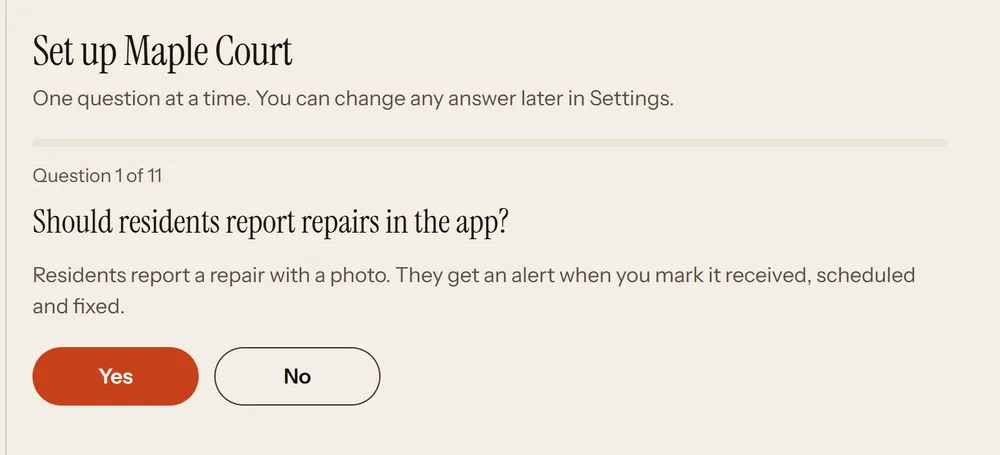
- Answer the setup questions. One question at a time: repairs, safety reports, notices, packages, parking, guest passes, move-in reports, the courtesy officer, building alerts, and whether you approve each resident. Change any answer later in Settings.
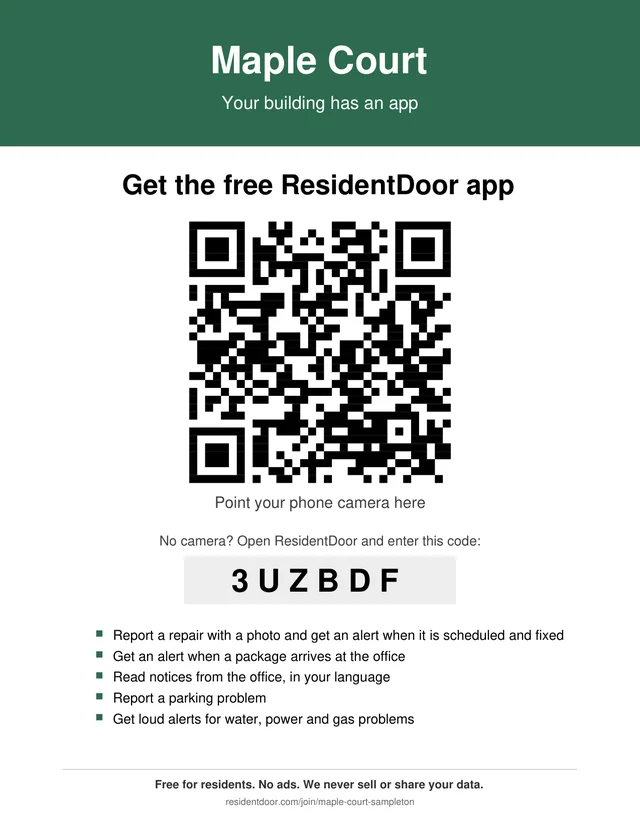
- Print the poster and welcome cards. Open Poster and cards in the dashboard. The poster has your QR code and 6 letter code, and lists only the features you turned on.
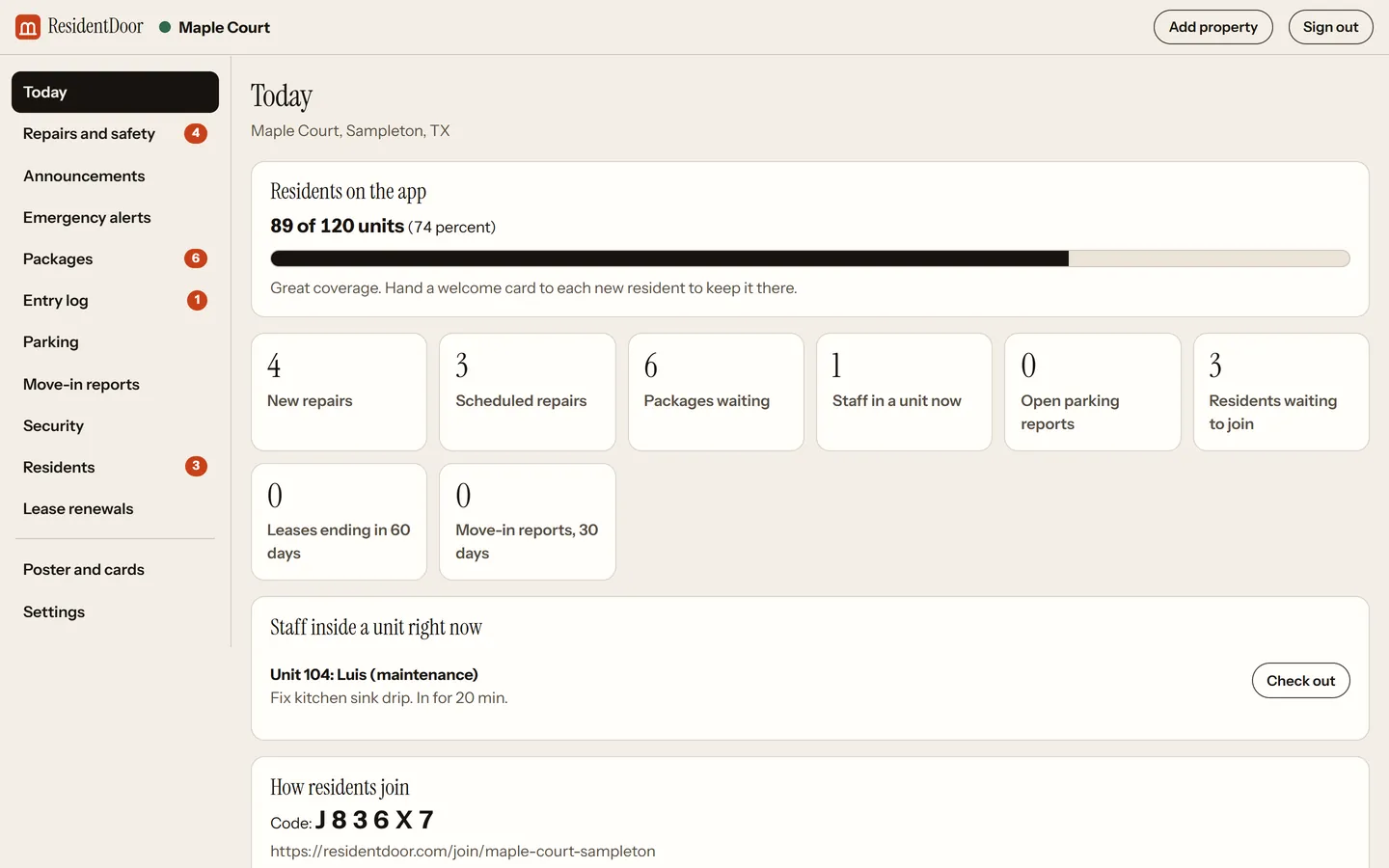
- Residents start joining. Watch the count on the Today page. Under 60 percent, print a reminder poster for the mailboxes.
For residentsAbout a minute
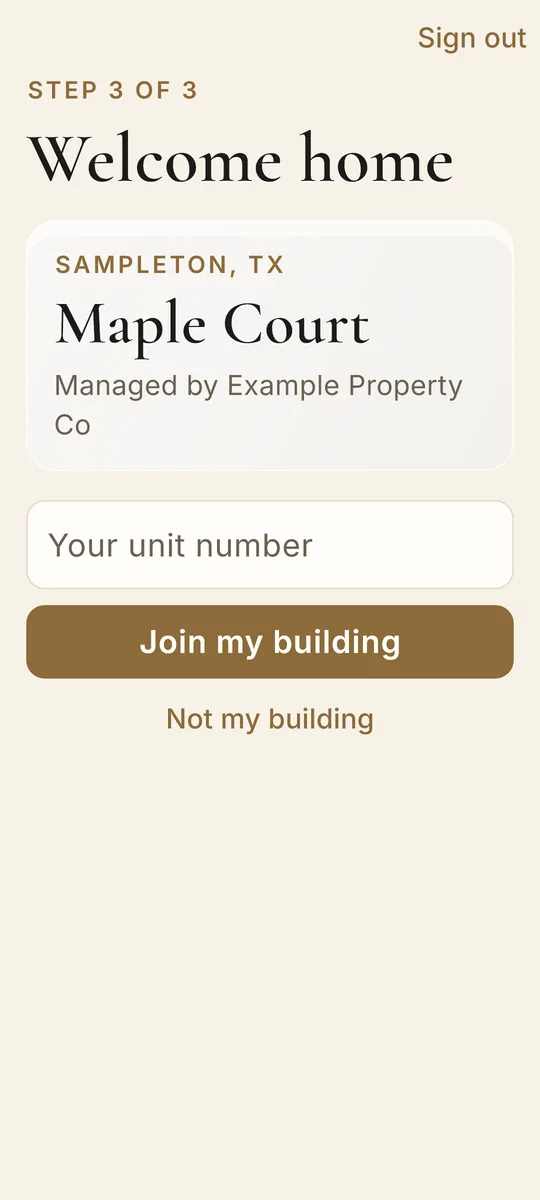
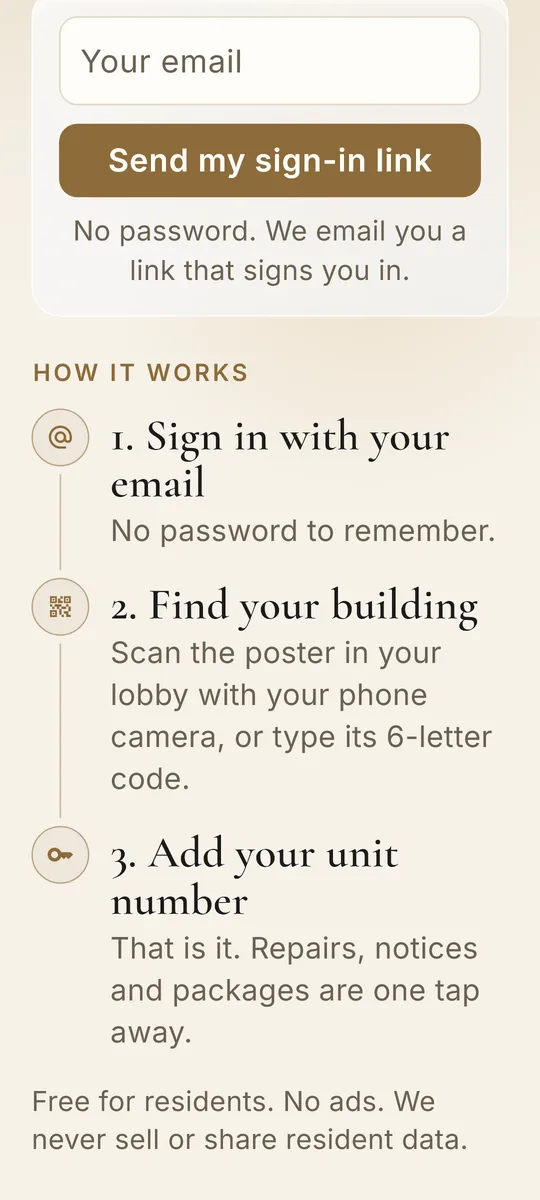
- Scan the poster. Point the phone camera at the QR code in the lobby or mailroom. No camera? Type the 6 letter code, or search for the building by name.
- Sign in with email. No password to remember. ResidentDoor emails a link that signs them in.
- Add the unit number. Tap Join my building and they are in. Free for residents, no ads, and their data is never sold or shared.
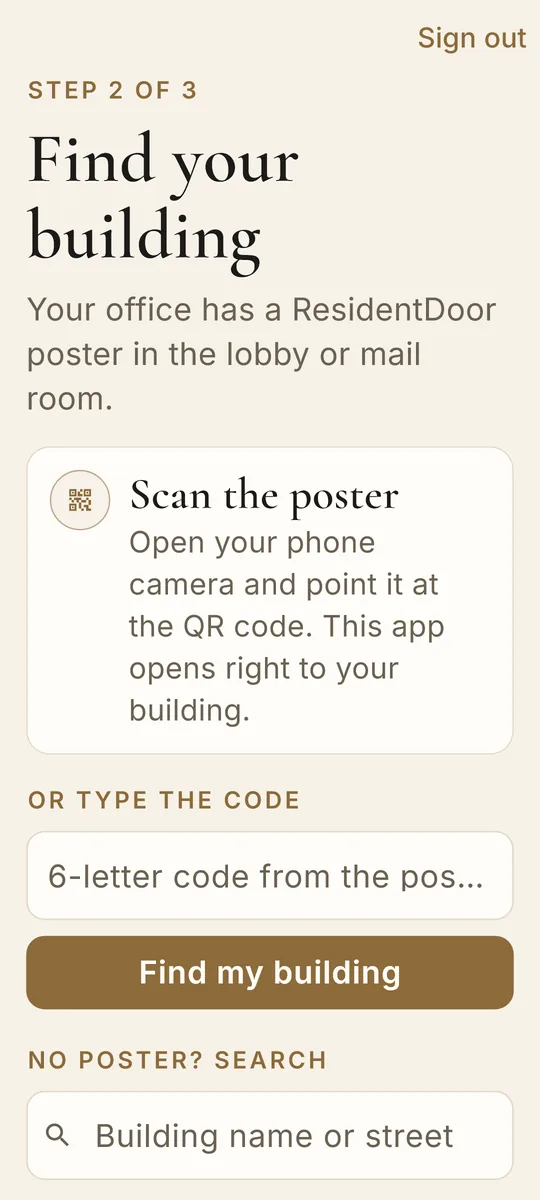
The ResidentDoor app is for Android and is in testing now, on its way to Google Play.
The whole rollout.
1. Add your property
YouEnter the name, address and unit count. You get a 6 letter join code and a QR poster made for your property. A short setup asks which features to turn on.
2. Print the poster
YouPut it where residents stop every day: the mailroom, the laundry room, the elevator, the office door. The poster lists only the features you turned on.
3. Residents join
ResidentsScan the QR code, type the 6 letter code, or search for the property by name in the app.
YouApprove each new resident if you want, or let anyone with your code or poster join. You can remove people any time.
4. Watch the meter
YouThe dashboard shows units on the app as a percent. Under 60 percent, it offers a reminder poster to print.
5. Keep it full
ResidentsNew residents get a welcome card at move in.
YouPrint welcome cards from Poster and cards in the dashboard.
6. Run the day
ResidentsRepairs, notices, packages and alerts arrive on their phones.
YouYou work from the dashboard and get an email for each new report, plus a 7 AM summary.
Questions
How long does setup take?
About 10 minutes. You add your property, print the poster and put it up where residents walk past.
How do residents join?
Three ways: scan the QR poster, type the 6 letter join code, or search for the property in the app.
Do we need to install anything?
No. The manager dashboard runs in any web browser, and residents use the app on their own phones.
Put the poster up this week.
Add your property, print the poster, and let residents join. About 10 minutes of setup.
Start 30 day free trial